Products Observe
See every fill as it happens.
A self-hosted observability dashboard for qkt. Every trade, order, log line and equity curve, from every instance, in one place.
- Licence
- Apache-2.0
- Needs
- qkt 0.40 or newer
- Storage
- SQLite, self-hosted
- Image
- ghcr.io, public
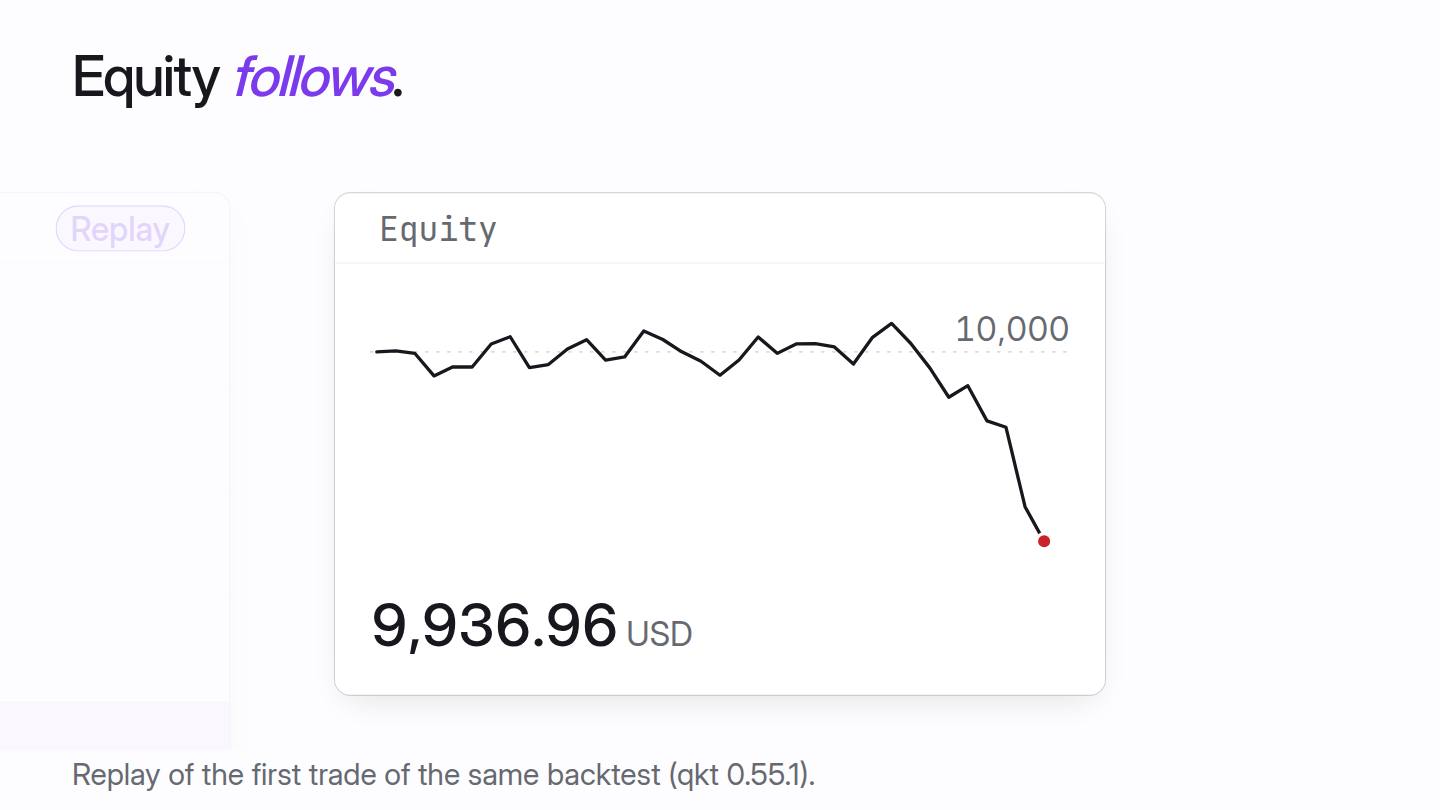
Replay of a backtest · BTCUSD 15m · August 2026
One trade, in order. Click an event to see it on the curve.
No events match this filter.
Trade 1 −63.04 USD
Trade 2 +125.62 USD
Trade 3 +127.51 USD
Trade 4 −64.97 USD
Trade 5 −64.04 USD
Trade 6 −63.62 USD
Trade 7 −63.37 USD
Trade 8 +125.84 USD
Trade 9 +128.61 USD
Trade 10 +138.67 USD
Trade 11 −77.47 USD
Trade 12 −77.30 USD
Trade 13 +153.11 USD
Trade 14 +157.99 USD
Trade 15 −79.52 USD
Trade 16 −78.79 USD
Trade 17 +156.91 USD
Trade 18 −79.94 USD
Trade 19 +155.67 USD
Trade 20 open at the end
In motion
A trade, as it happens.
Replay one trade from a backtest: the rule fires, the order fills, a bracket is set, and the equity follows.
The real dashboard
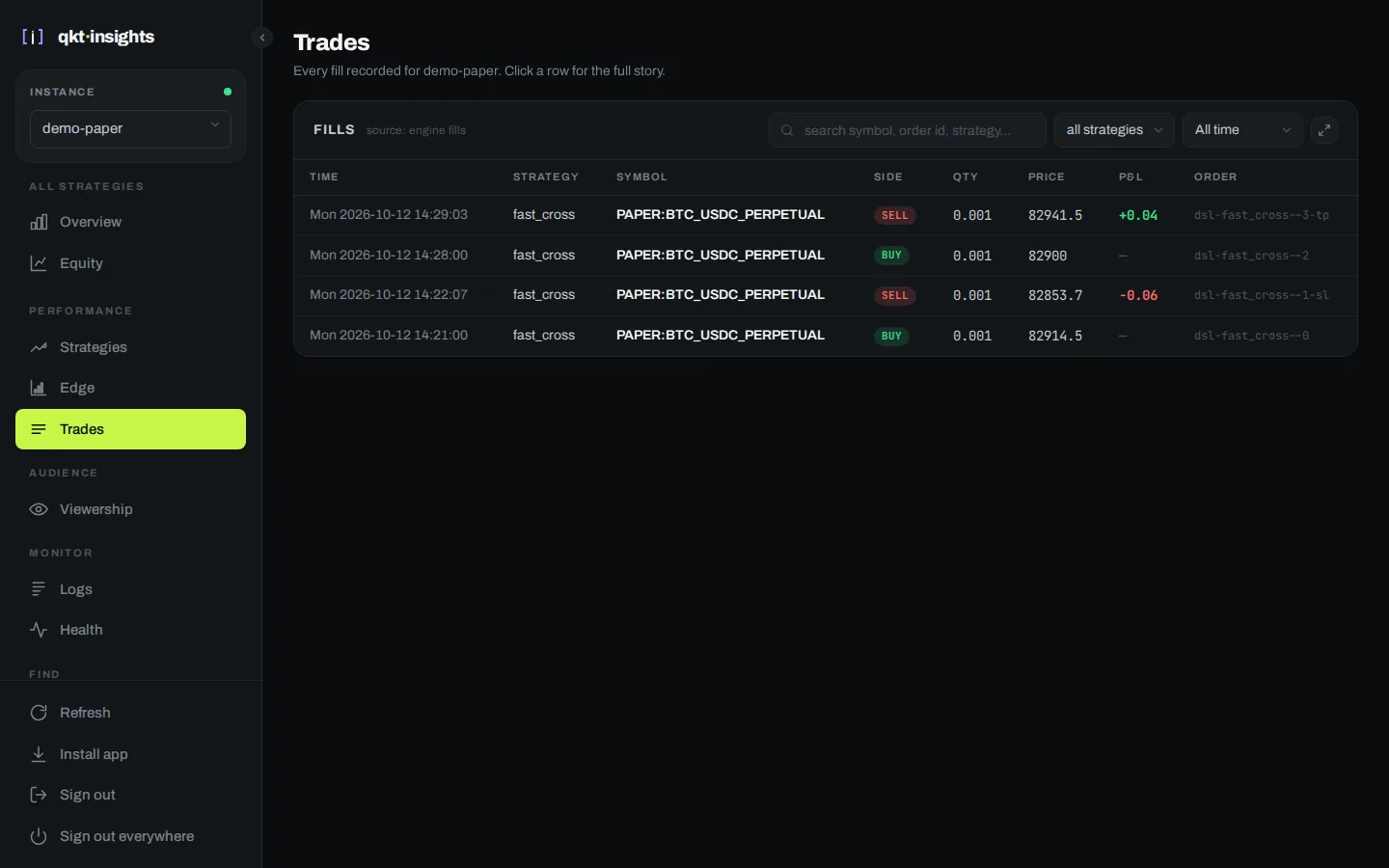
Every fill, as it lands.
A real screenshot: a paper session on Deribit's live prices, run with qkt 0.56.0 on 12 October 2026. Two round trips at 0.001 BTC, one stopped out and one at target. No real money was involved.
Out of the way
Observability never touches the trading path.
qkt pushes its events to Insights over HTTP, from its own thread. If the dashboard is down, trading carries on, and events are kept on disk until it returns.
- Account and equityBalance, equity, open positions, drawdown, month by month.
- Every order and fillSearch and filter the deals, with the strategy that placed each one.
- EdgeWhen a strategy makes money, by weekday and hour, greyed out where there is too little data.
- Health and logsLive log tail, uptime, and a record of incidents.
Run it
One container.
Point qkt's insights config at it with the ingest token, and the dashboard fills in.
docker run -d -p 127.0.0.1:8420:8420 -v insights-data:/data \ -e INSIGHTS_DB=/data/insights.db -e INGEST_TOKEN=... \ -e ADMIN_USERNAME=admin -e ADMIN_PASSWORD=... \ ghcr.io/elitekaycy/qkt-insights:latest runShare a result
Public links that keep your account private.
Share a strategy or the whole overview with a link. Shared figures run 15 minutes behind, no cookies are set, and visitors are counted once per day without storing IP addresses.
The path
- 1Write and testqkt engine
- 2Connect a broker or venueMT5 gatewayVenue gateway
- 3Set limits on the accountGuardrails
- 4Watch it runqkt Insights
Write your first strategy today.
One command to install. Eight lines to a backtest. Free and open source.